Install MEmu 9.1.7.0
Use the official MEmu 9.1.7 release source, then confirm the required Dragon Core configuration displays 9.1.7.0.
Supported configuration
Move from the required emulator to a configured, monitored Dragon Core workflow in one clear sequence.
Dragon Core is actively maintained for the current supported Mafia City environment.
Step zero
Required Dragon Core configuration: MEmu 9.1.7.0.
The official release page names this public release “MEmu 9.1.7”.
MEmu is third-party software. The download link points to its official distribution source.
Complete onboarding
Follow the sequence in order so every emulator instance uses the same supported configuration.
Use the official MEmu 9.1.7 release source, then confirm the required Dragon Core configuration displays 9.1.7.0.
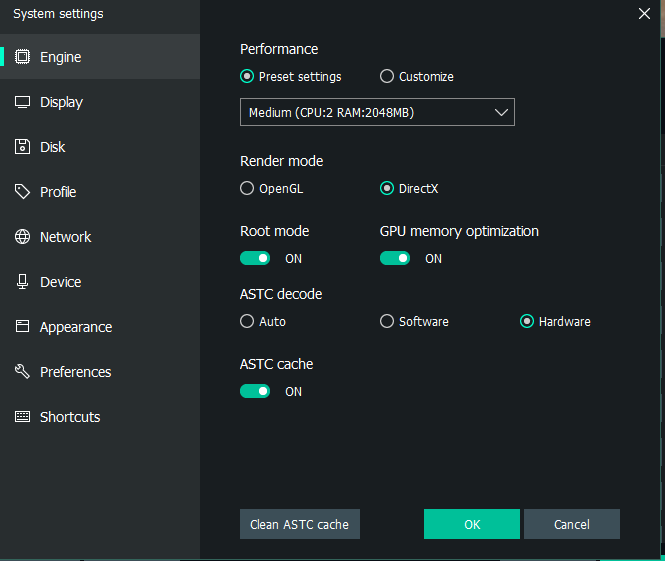
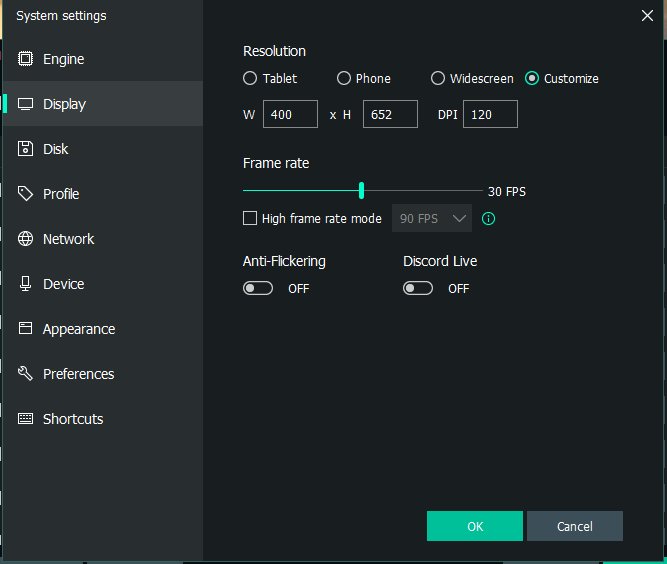
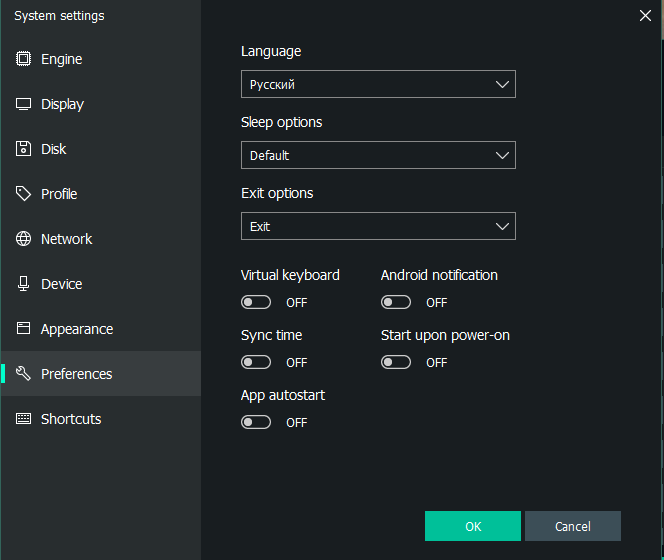
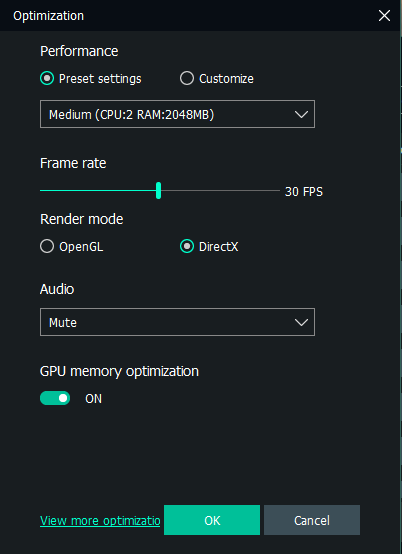
Match the recommended engine, display, language, and instance optimization settings.
Install Mafia City inside the prepared MEmu environment and complete normal account setup.
Set the Mafia City game language to Русский before configuring Dragon Core.
Apply the recommended FX, interface, operations, and Street War display settings.
Download the verified Dragon Core package and activate it for the approved Windows device.
Select emulator instances, teams, workflows, cooldowns, and schedules.
Start automation and follow task activity in the Live Activity Monitor.
MEmu reference
Use these authentic owner-supplied references for engine, display, language, and instance optimization.
Mafia City reference
Keep the Mafia City language set to Russian / Русский, then match the owner-supplied interface references.
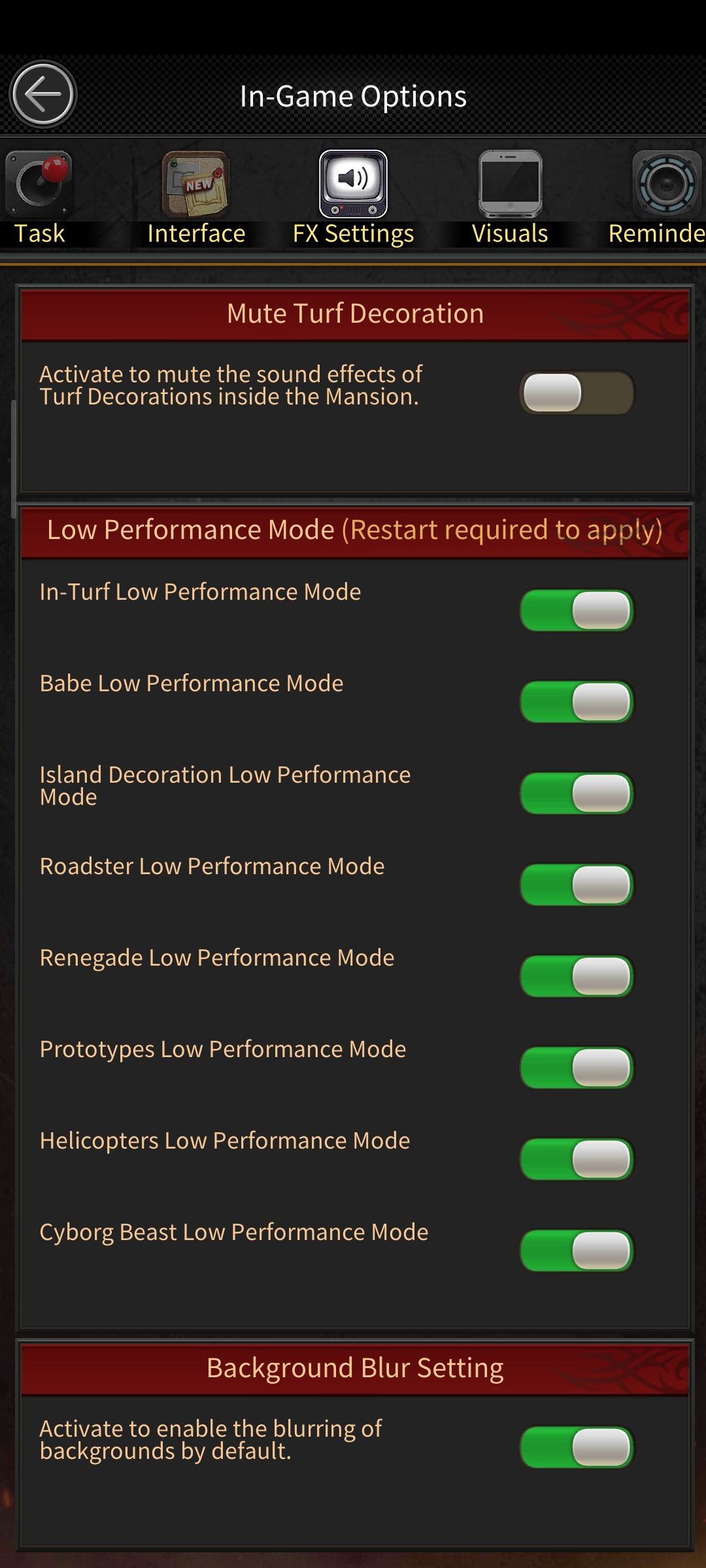 Low-performance modesOwner-supplied FX settings used to reduce visual load across emulator instances.
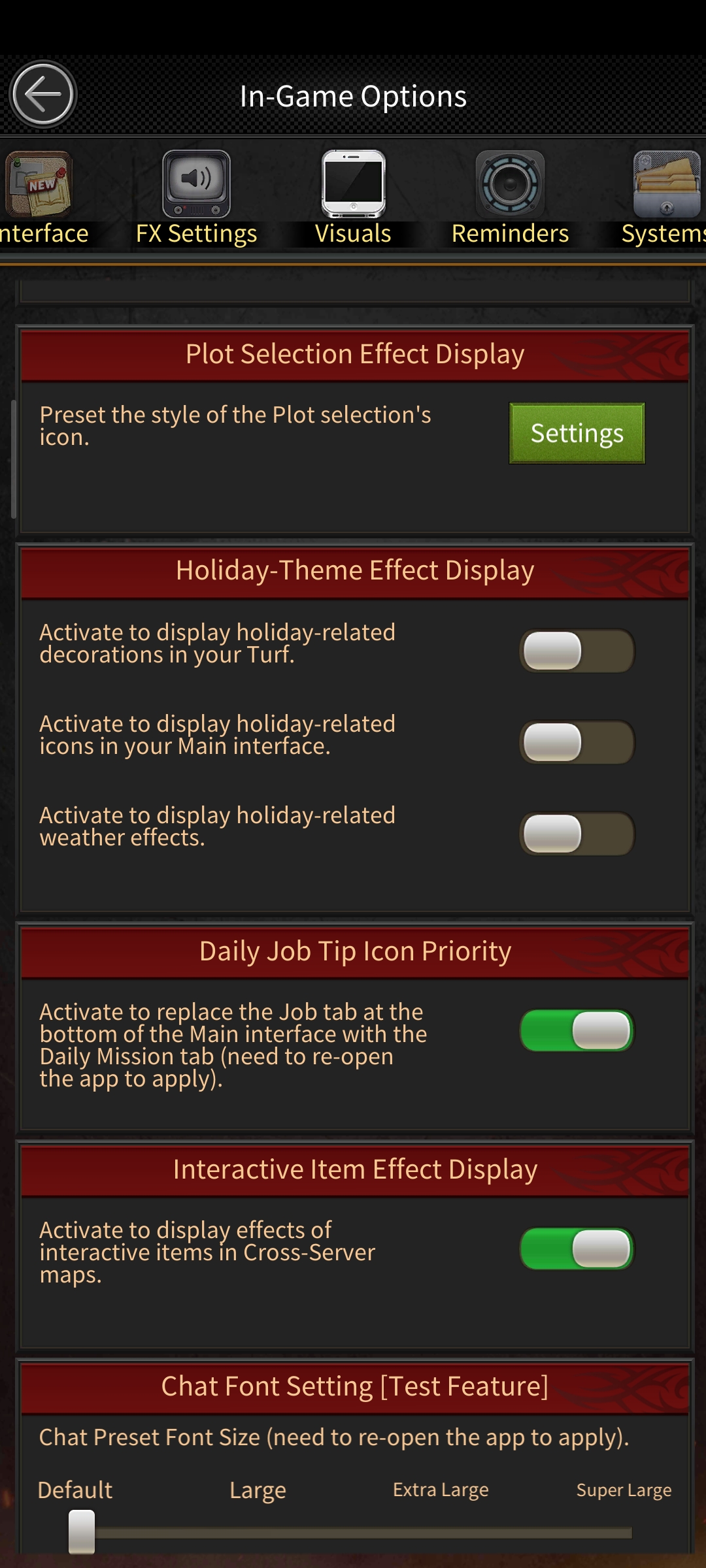 Interface effectsReference for consistent interface effects and everyday display behavior.
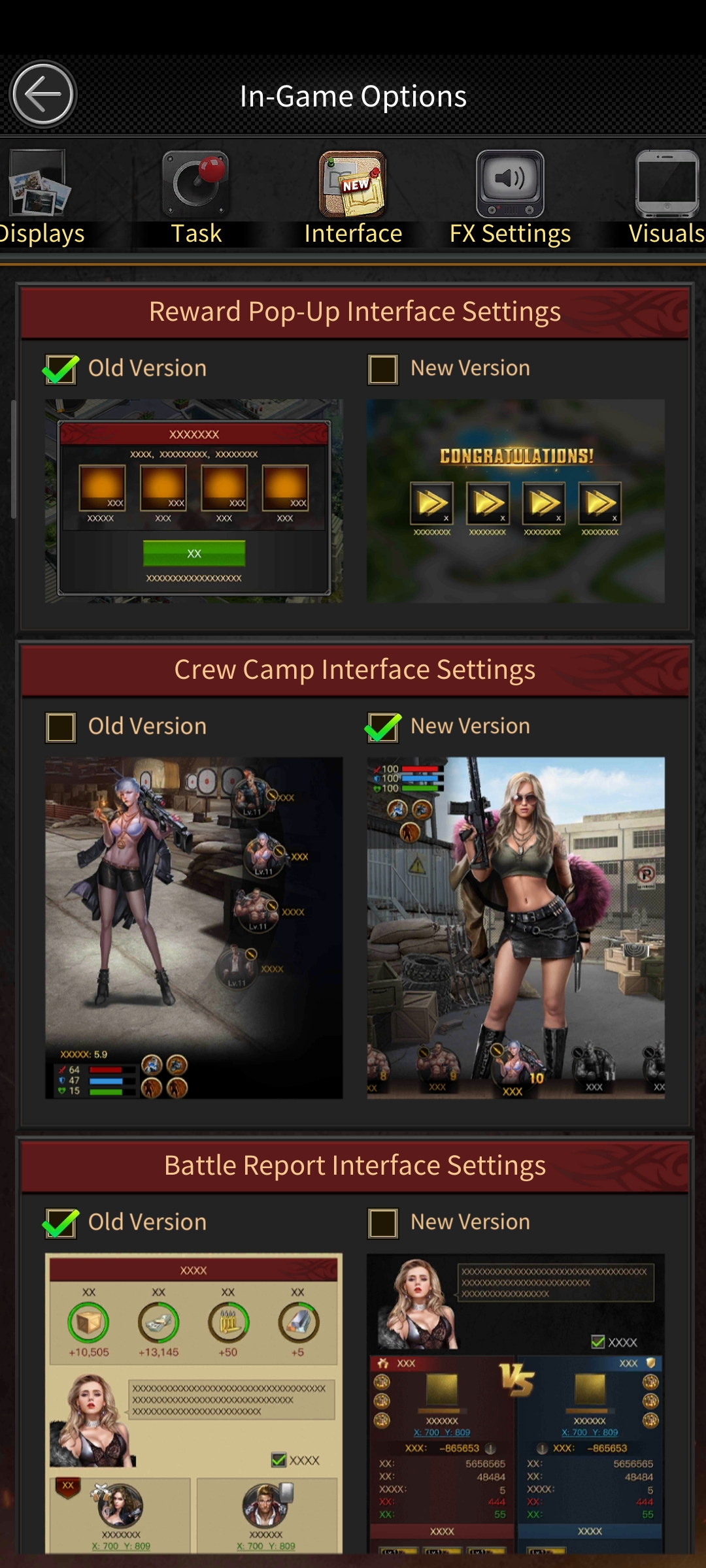 Interface compatibilityReference for the recommended activity, reward, camp, and report interface choices.
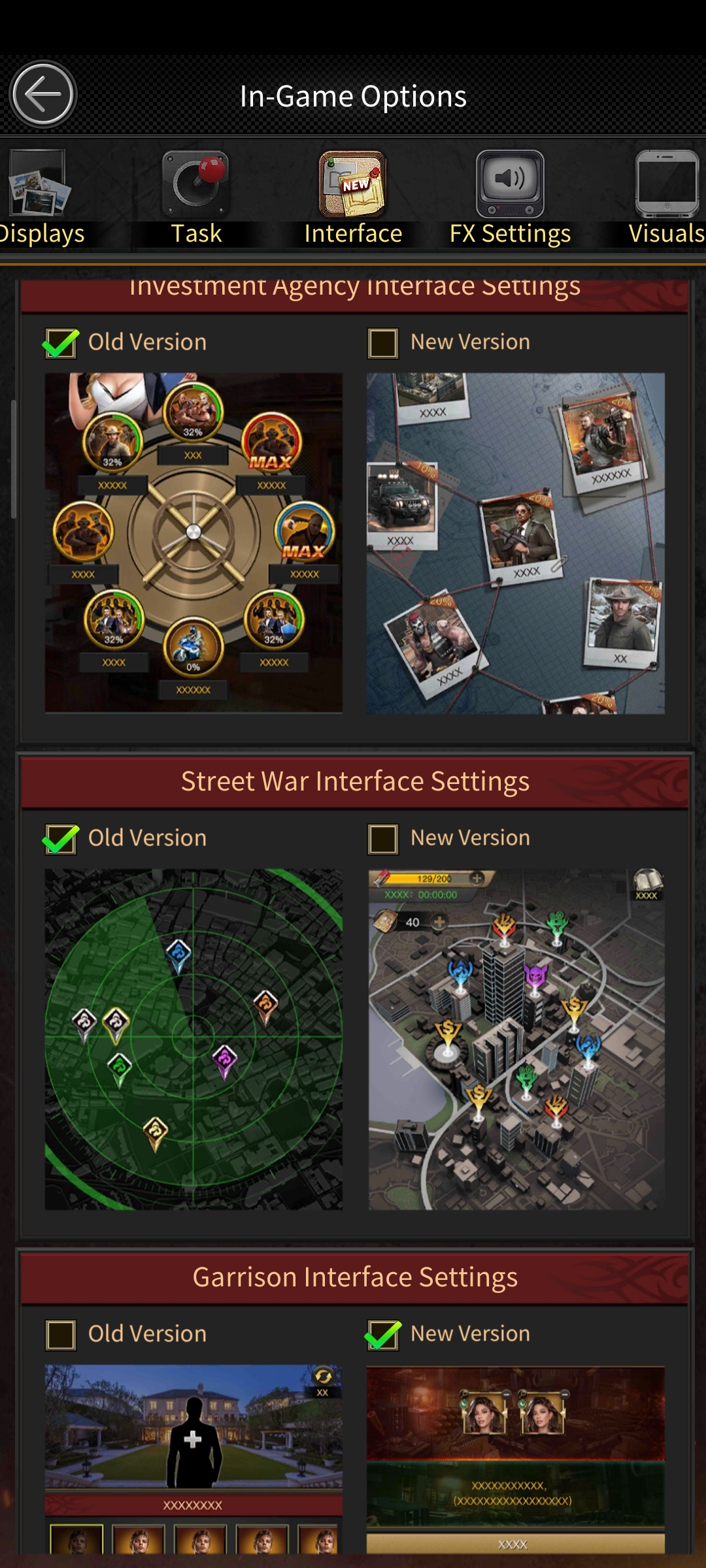 Operations interfaceReference for investment, Street War, and garrison interface behavior.
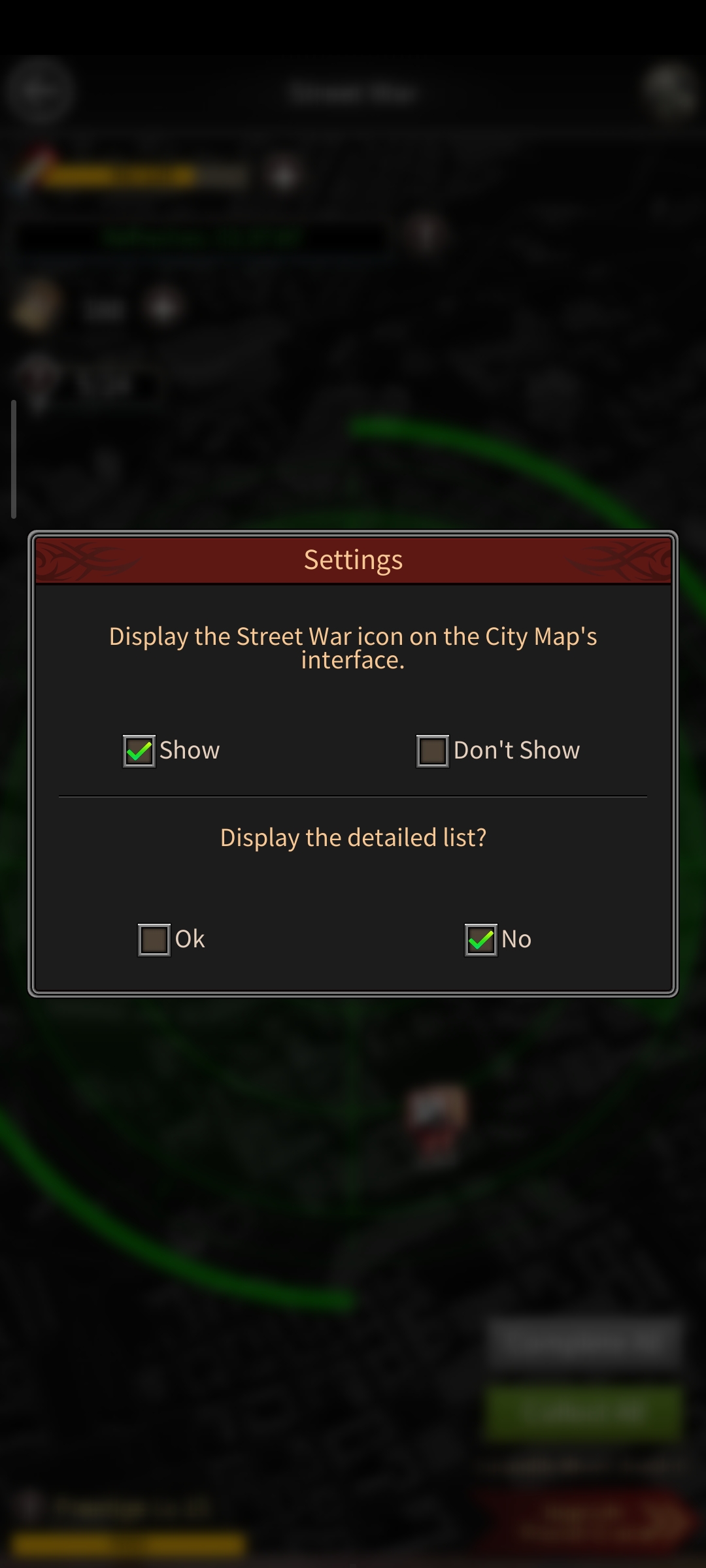 Street War displayReference for the owner-approved Street War display preference.
Configuration complete
Download the verified package, configure supported tasks, and monitor activity from the Dragon Core workspace.